Every screen, explained.

All 25 screenshots below are captured from a real AlphaPanel installation — not mock-ups, not a design file. This is what you get after the install command finishes.

Every day

What you see first

01 / 25

Dashboard

The first screen after sign-in answers "is anything wrong, and what changed?" without a single click. Counts for websites, virtual machines, disk and bandwidth sit above a live health ring for CPU, memory and disk, so a server under strain is obvious from the doorway.
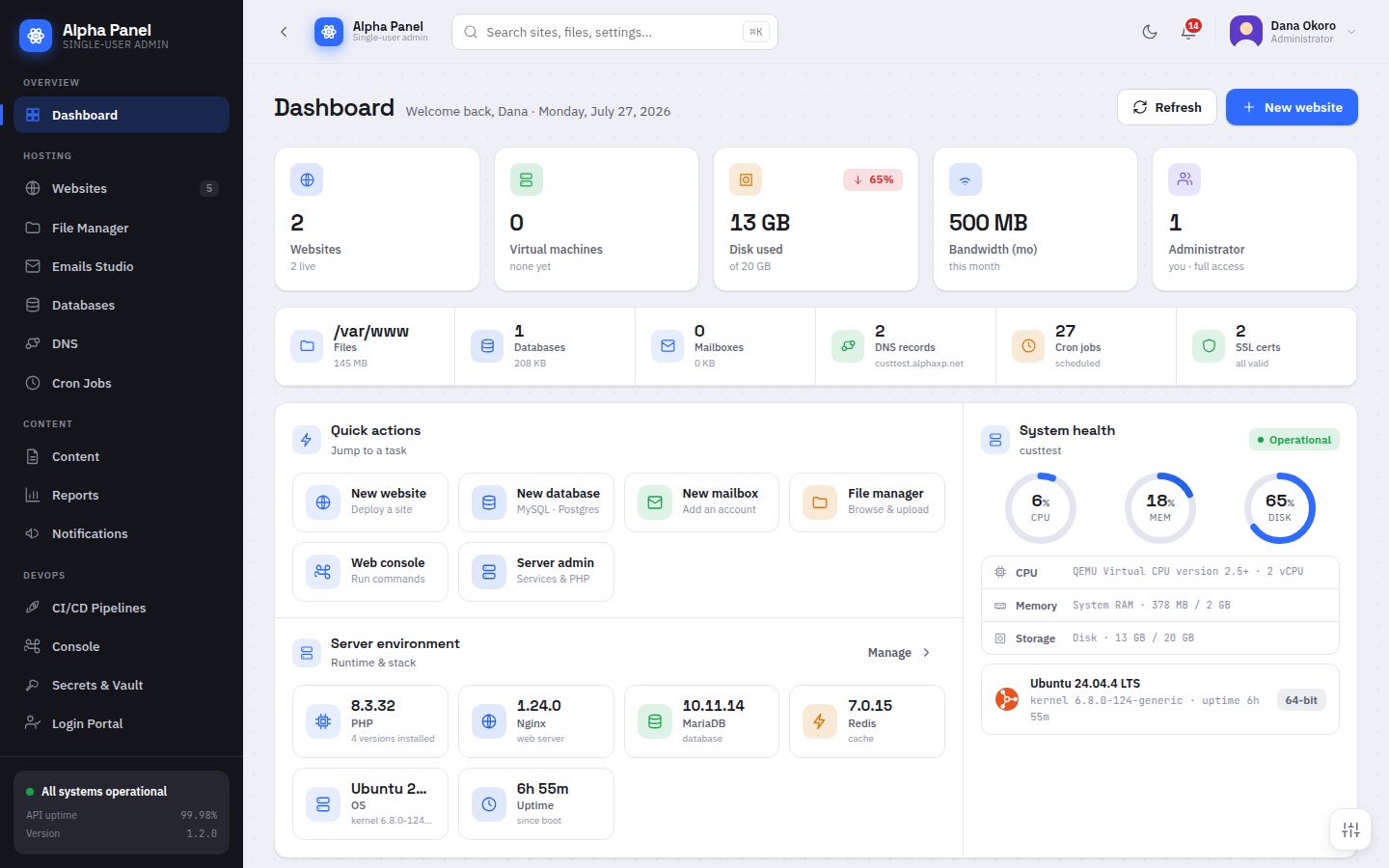
Dashboard screen in AlphaPanel
Hosting

Running sites, files, data and mail

02 / 25

Websites

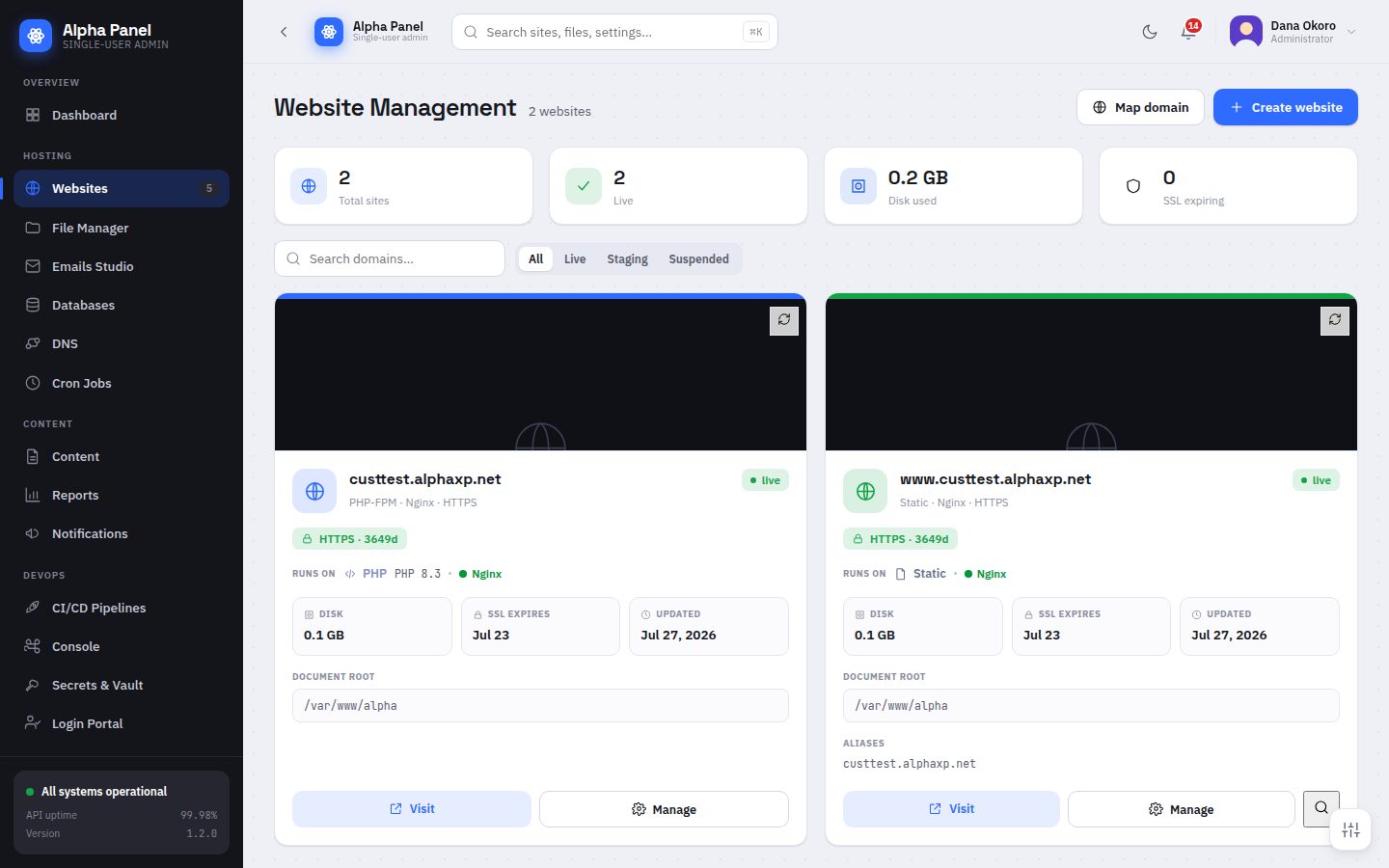
Every site on the box as a card: its domain, PHP version, HTTPS state, size on disk and when it last changed. Creating one asks where it goes — a new subdomain or a folder inside an existing site — and picks the stack for you.

Websites screen in AlphaPanel
03 / 25

File Manager

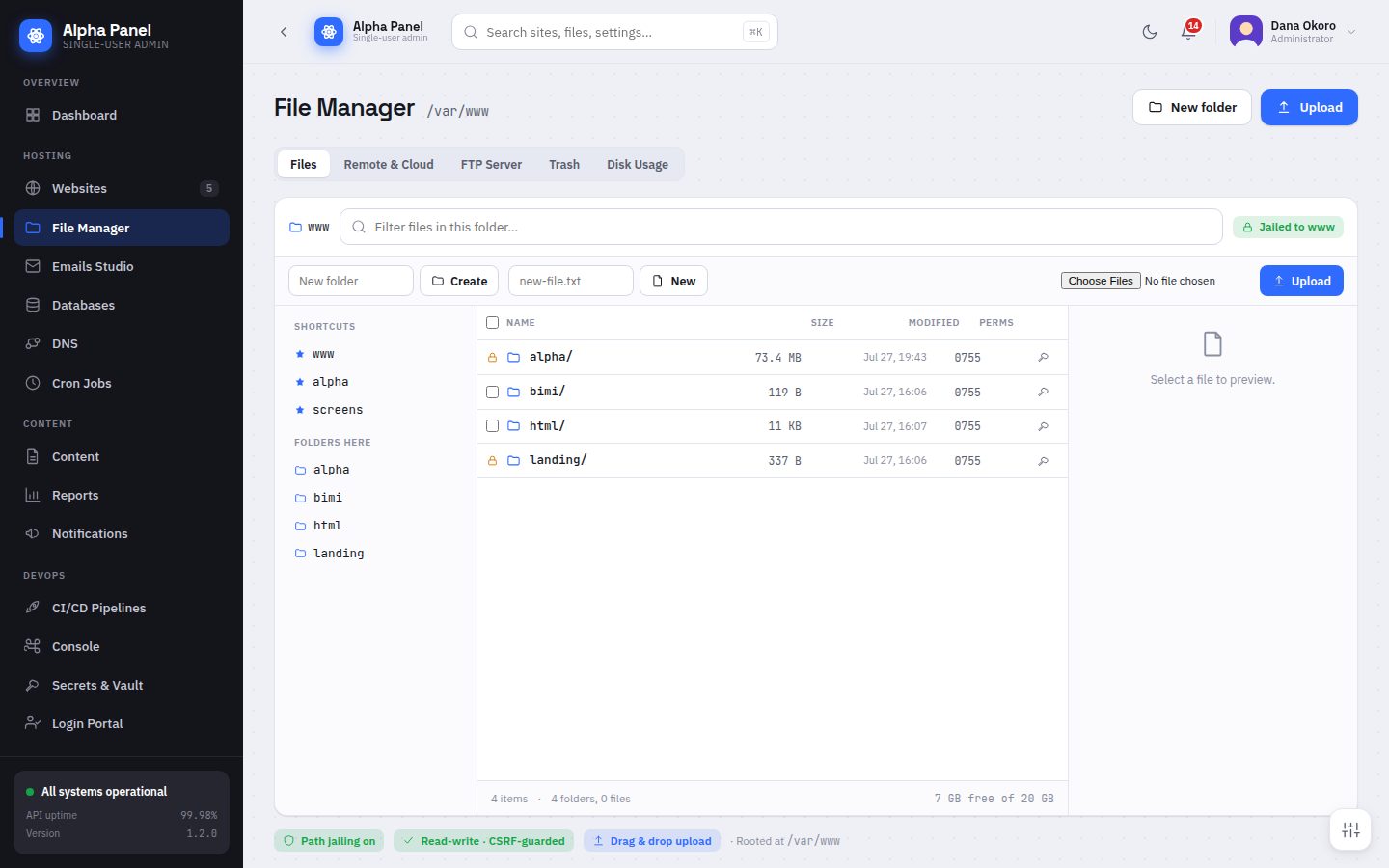
A real file manager, not a directory listing. Browse, upload by drag and drop, edit in place, compress and extract, with every path jailed to /var/www so a stray click cannot walk into /etc.

File Manager screen in AlphaPanel
04 / 25

Databases

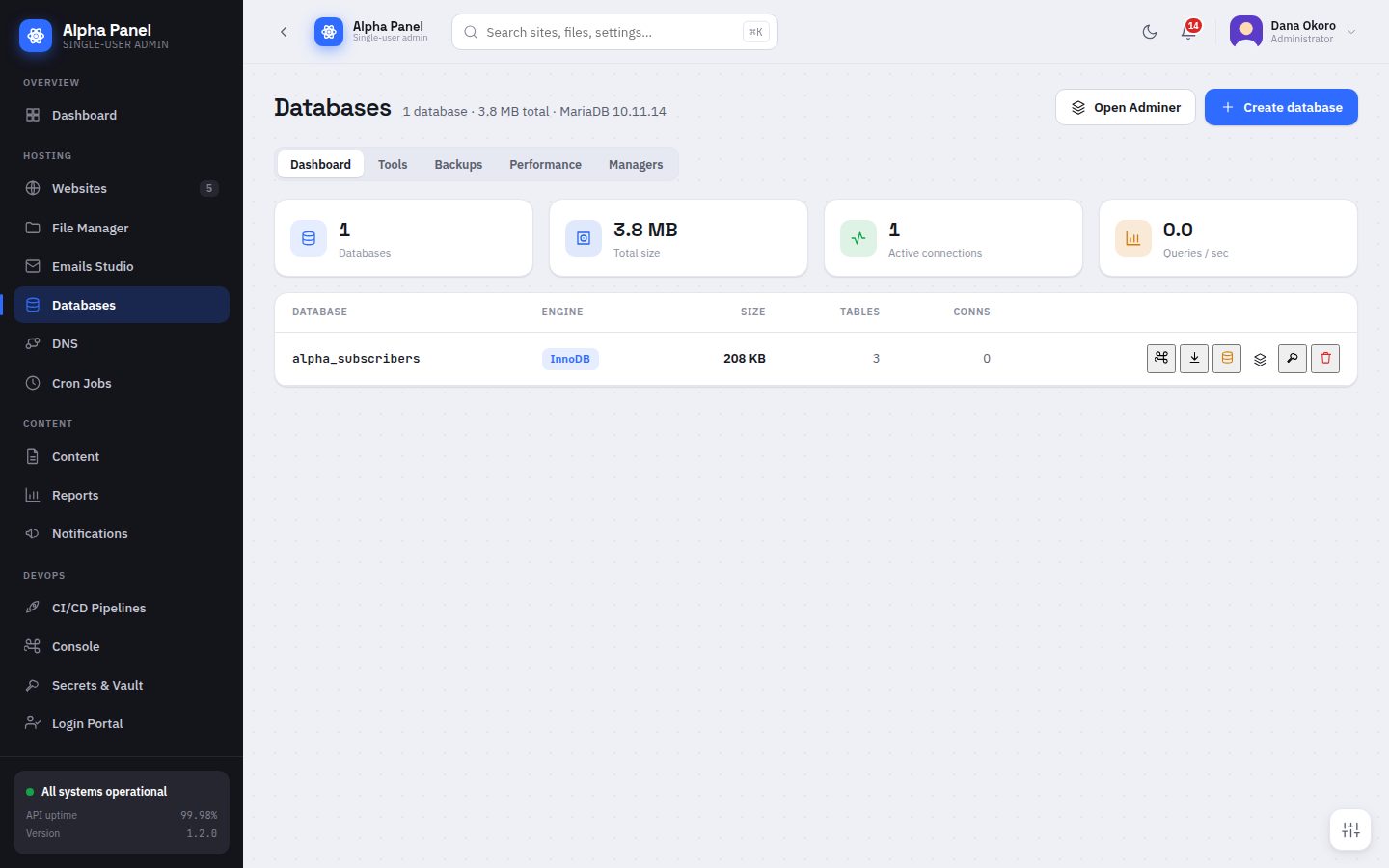
Create databases and users, watch their size, and open a full SQL client in the browser. The engine catalogue covers MariaDB, MySQL, PostgreSQL, SQLite and more, with install and enable handled for you.

Databases screen in AlphaPanel
05 / 25

Emails Studio

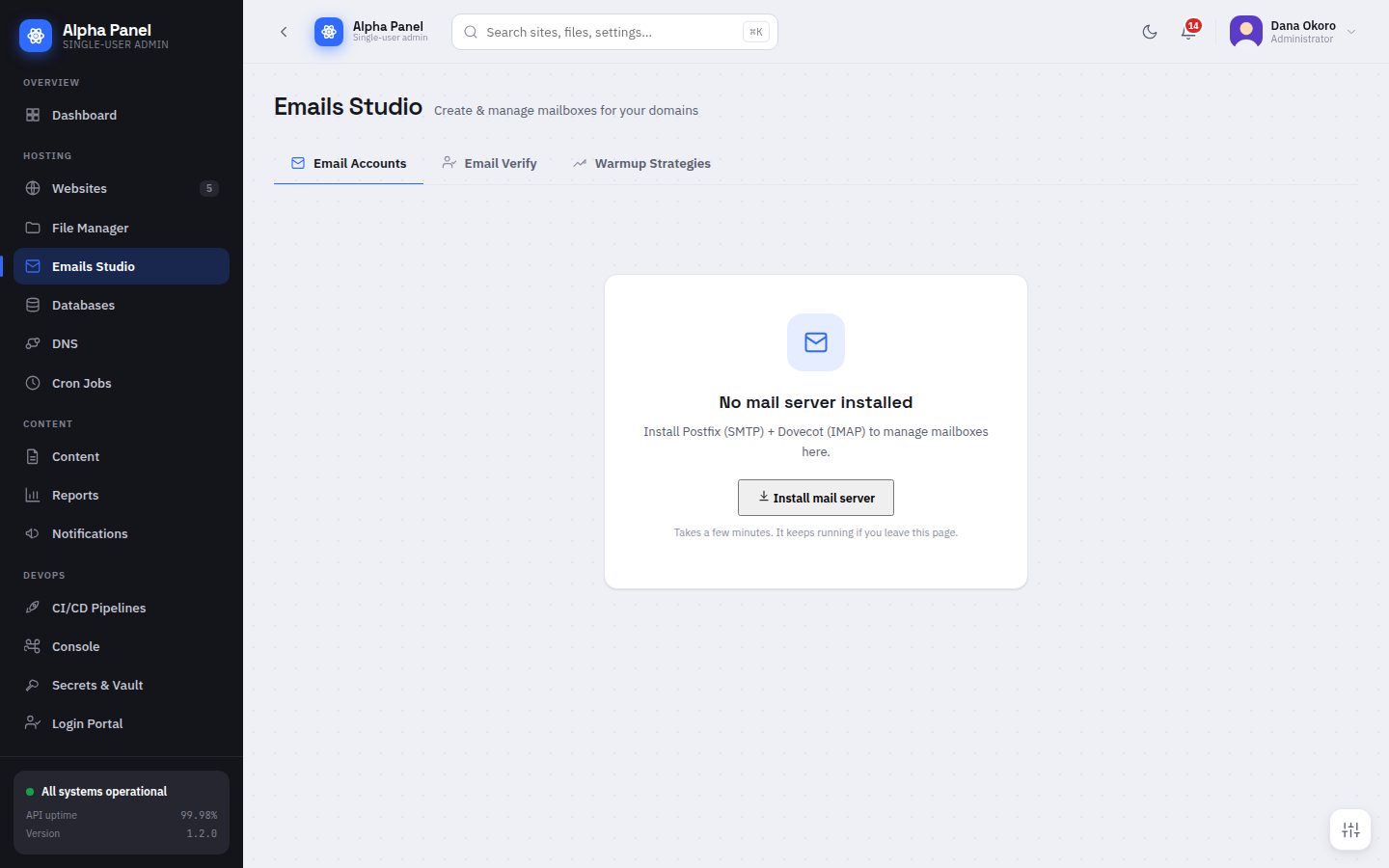
The whole mail stack in one place — accounts, verification and warm-up strategies. On a fresh server it says so plainly and installs Postfix and Dovecot for you rather than pretending mail already works.

Emails Studio screen in AlphaPanel
06 / 25

Cron Jobs

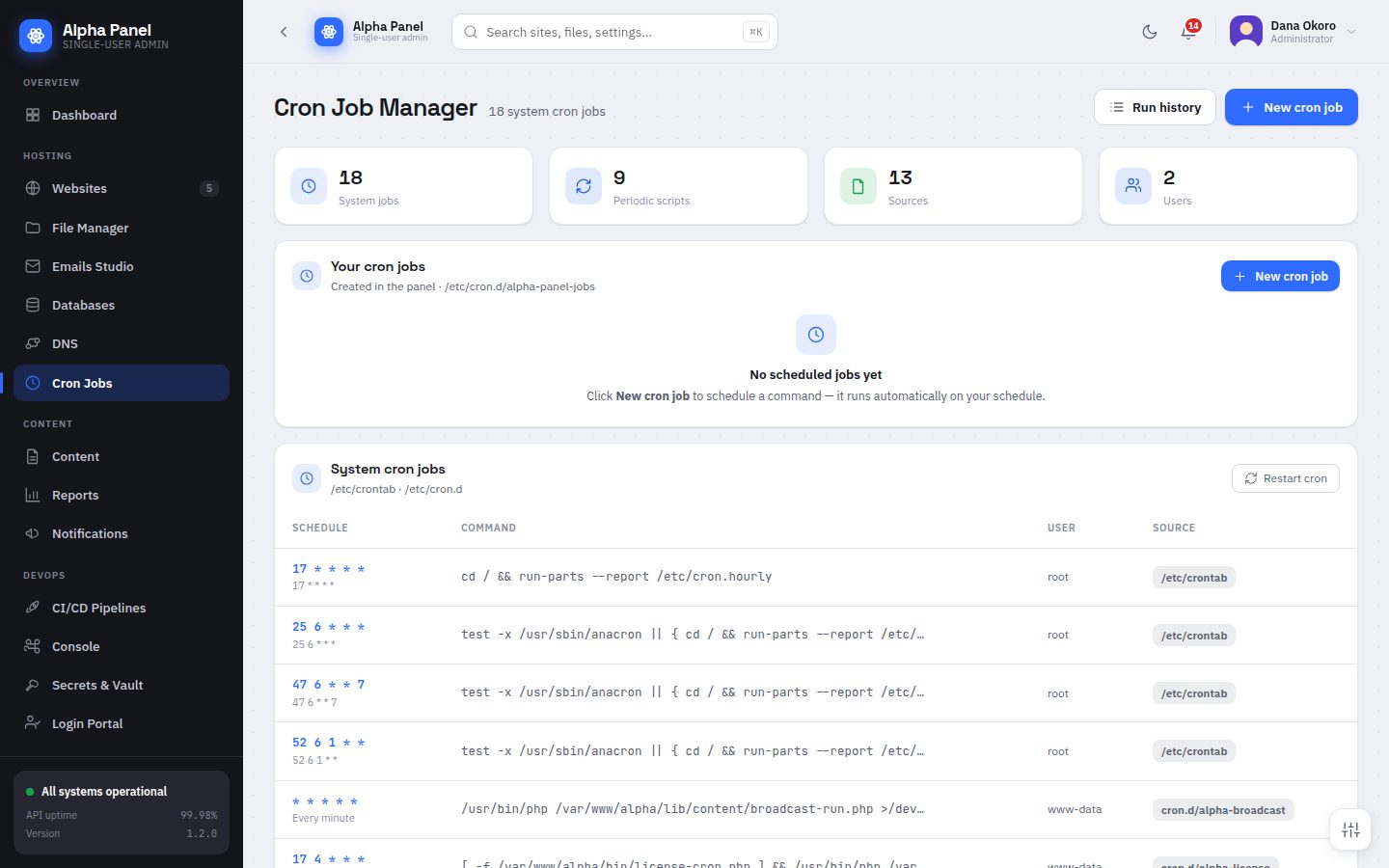
Scheduled work, yours and the system's, in one list. The panel shows every job on the box — including the ones it installed itself — with its schedule, command, user and where it came from.

Cron Jobs screen in AlphaPanel
Content

Publishing, measuring and reaching people

07 / 25

Content

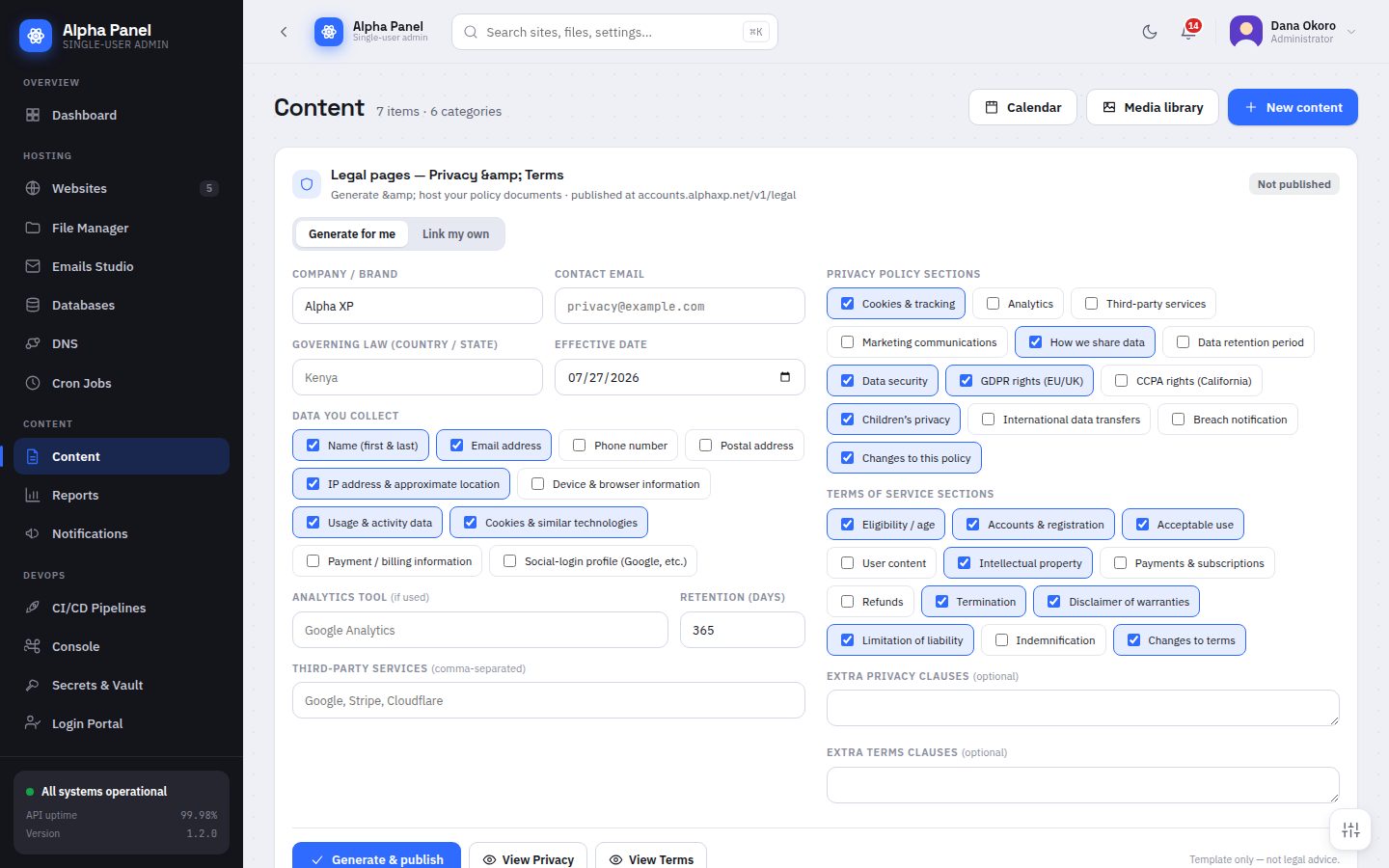
Generates the legal pages every site needs — privacy policy, terms, cookie notice — from what you actually collect, rather than a template you paste and hope about.

Content screen in AlphaPanel
08 / 25

Reports & Analytics

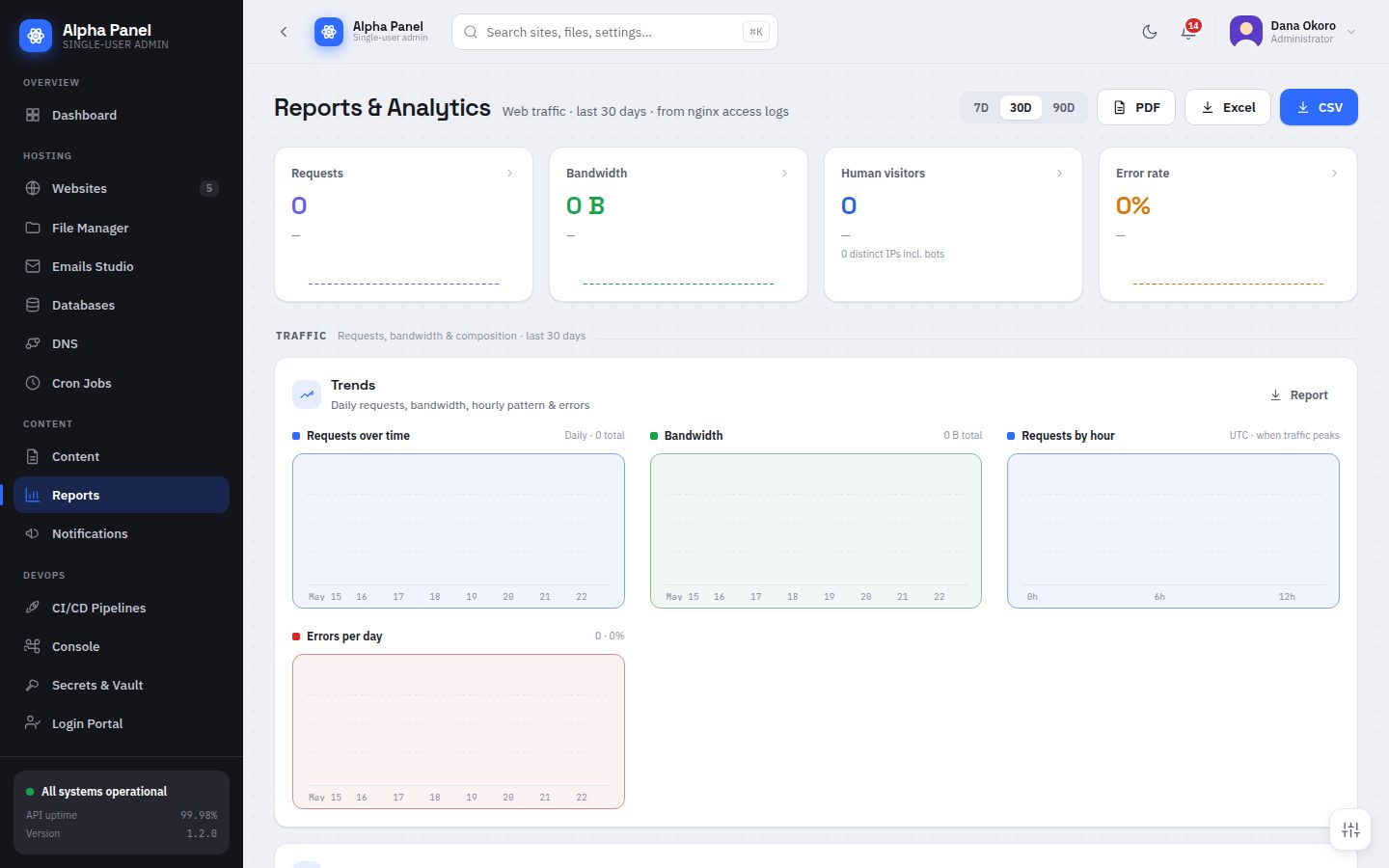
Traffic, bandwidth, errors, geography, devices and browsers — all rebuilt from your own nginx logs. Nothing is sampled, nothing is sent anywhere, and no script is injected into your pages.

Reports & Analytics screen in AlphaPanel
09 / 25

Notifications

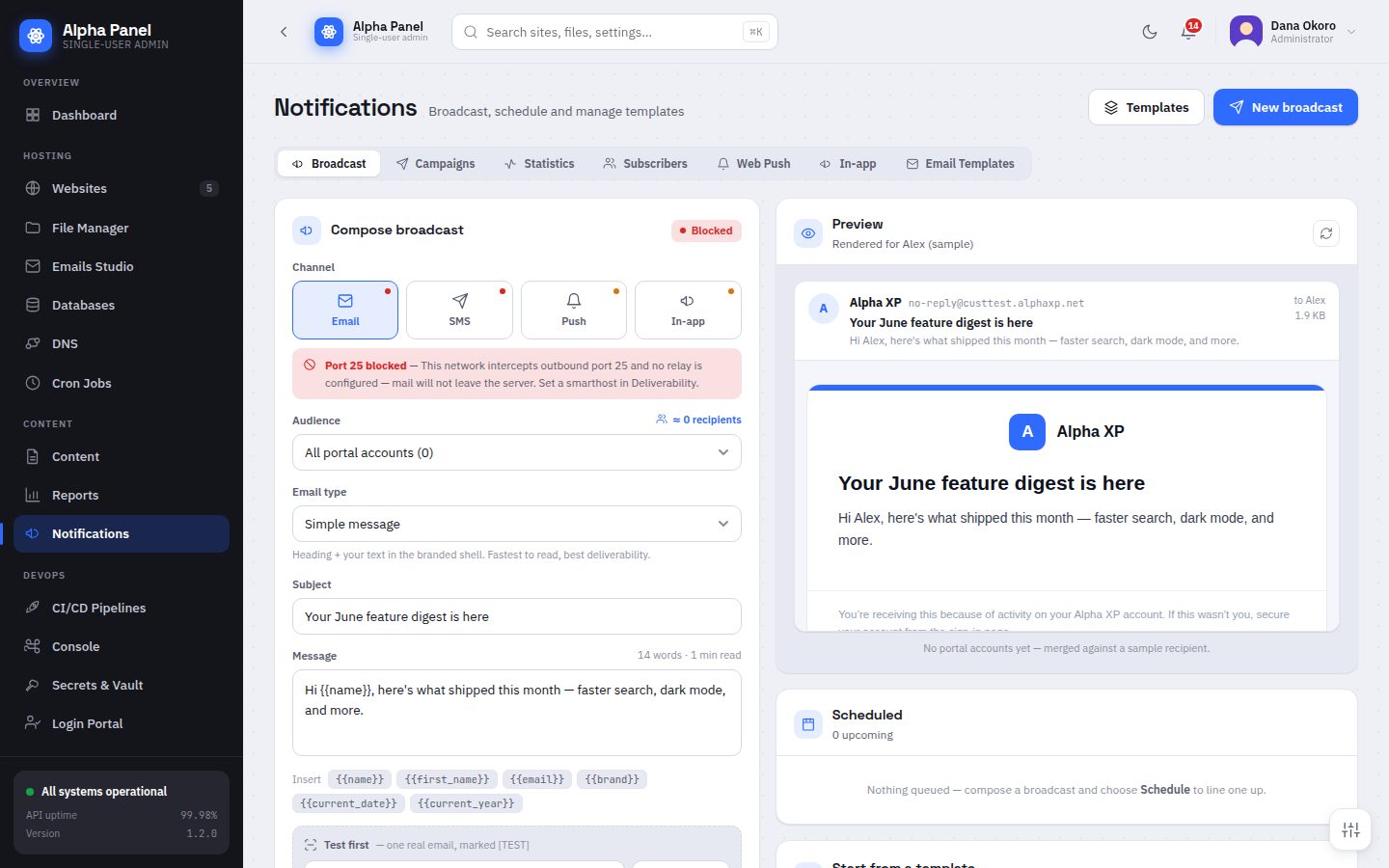
One composer for email, SMS, web push and in-app messages. It shows what each channel is ready to send before you write, then renders the message through the real send path so the preview is the thing that ships.

Notifications screen in AlphaPanel
DevOps

Shipping, automating and integrating

10 / 25

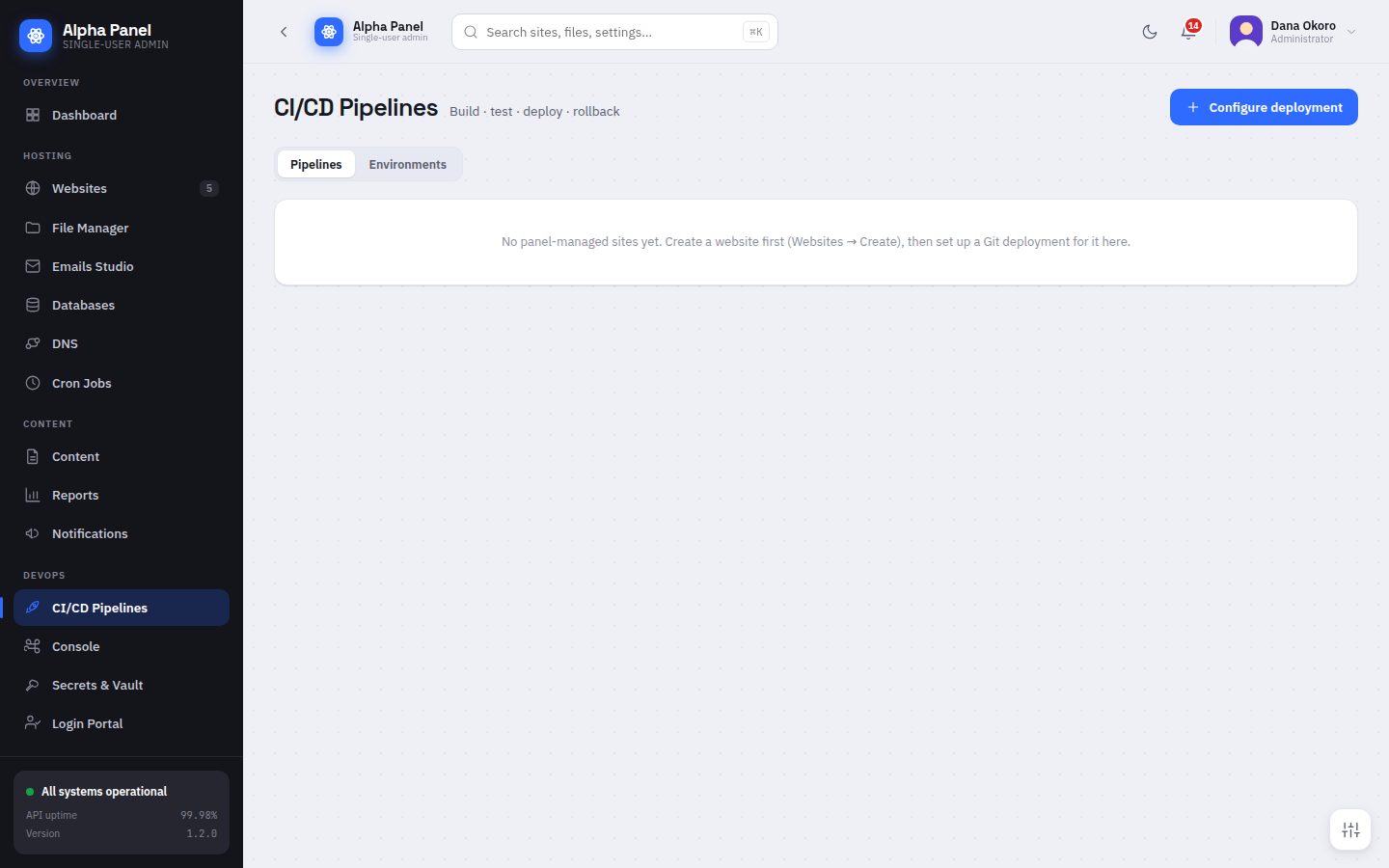
CI/CD Pipelines

Deploy any site on the box from git. Build, test and deploy run as steps with logs kept per run, and a bad release rolls back to the previous one.

CI/CD Pipelines screen in AlphaPanel
11 / 25

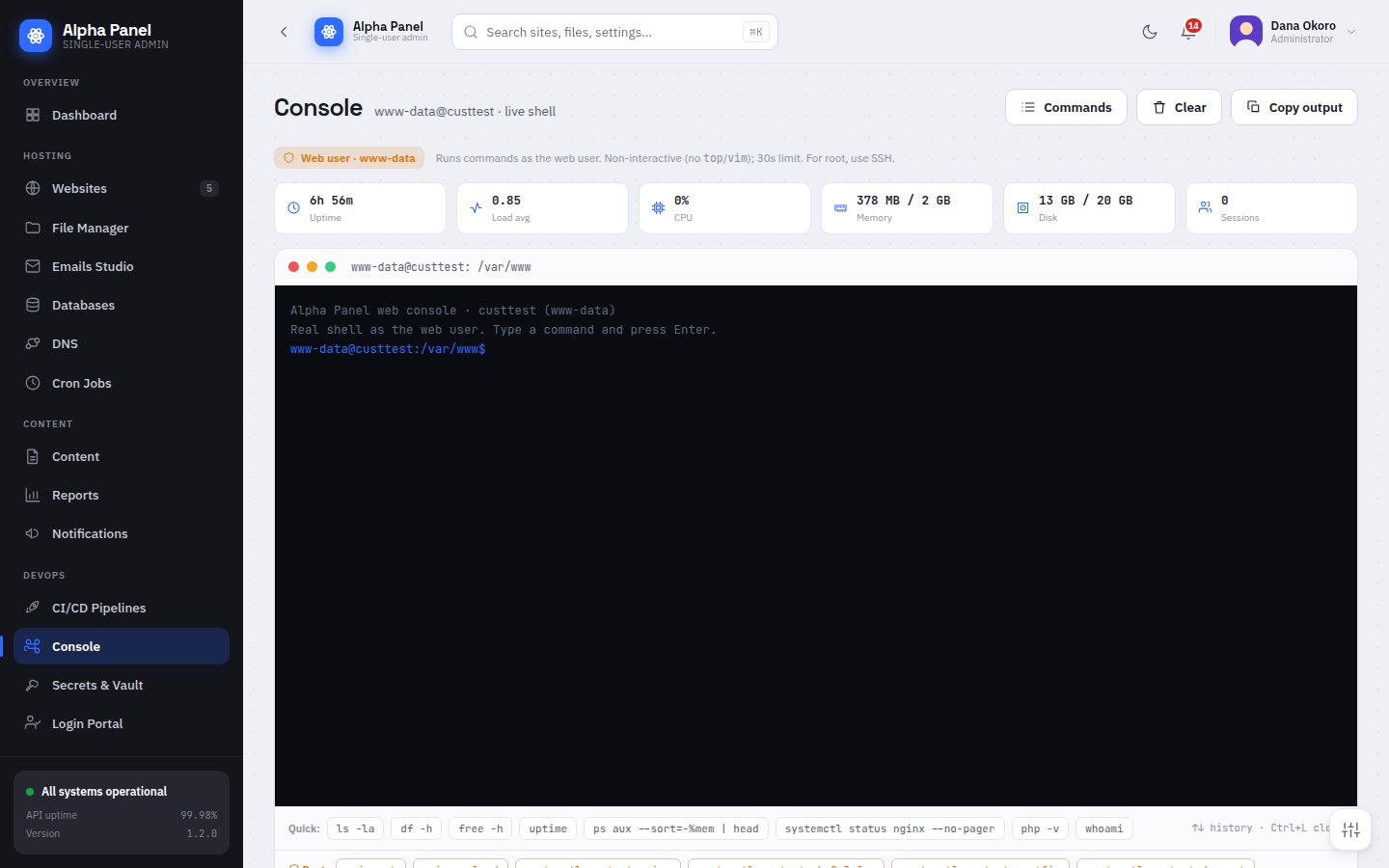
Web console

A real terminal in the browser for when a screen does not cover it. Sessions are scoped to the web user and every command is written to the audit log.

Web console screen in AlphaPanel
12 / 25

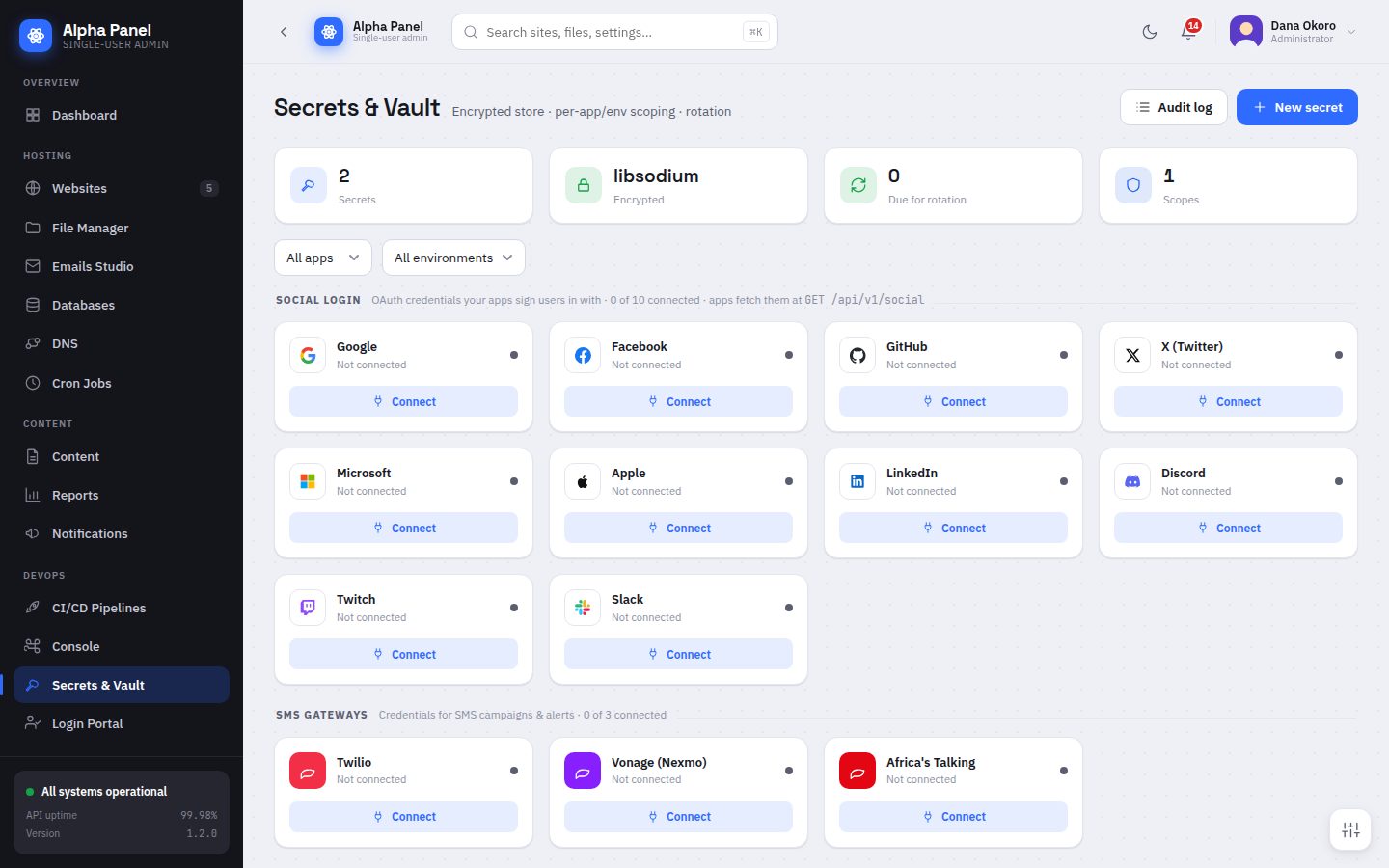
Secrets & Vault

An encrypted key-value store using libsodium, scoped per application and environment, so credentials stop living in config files and chat history.

Secrets & Vault screen in AlphaPanel
13 / 25

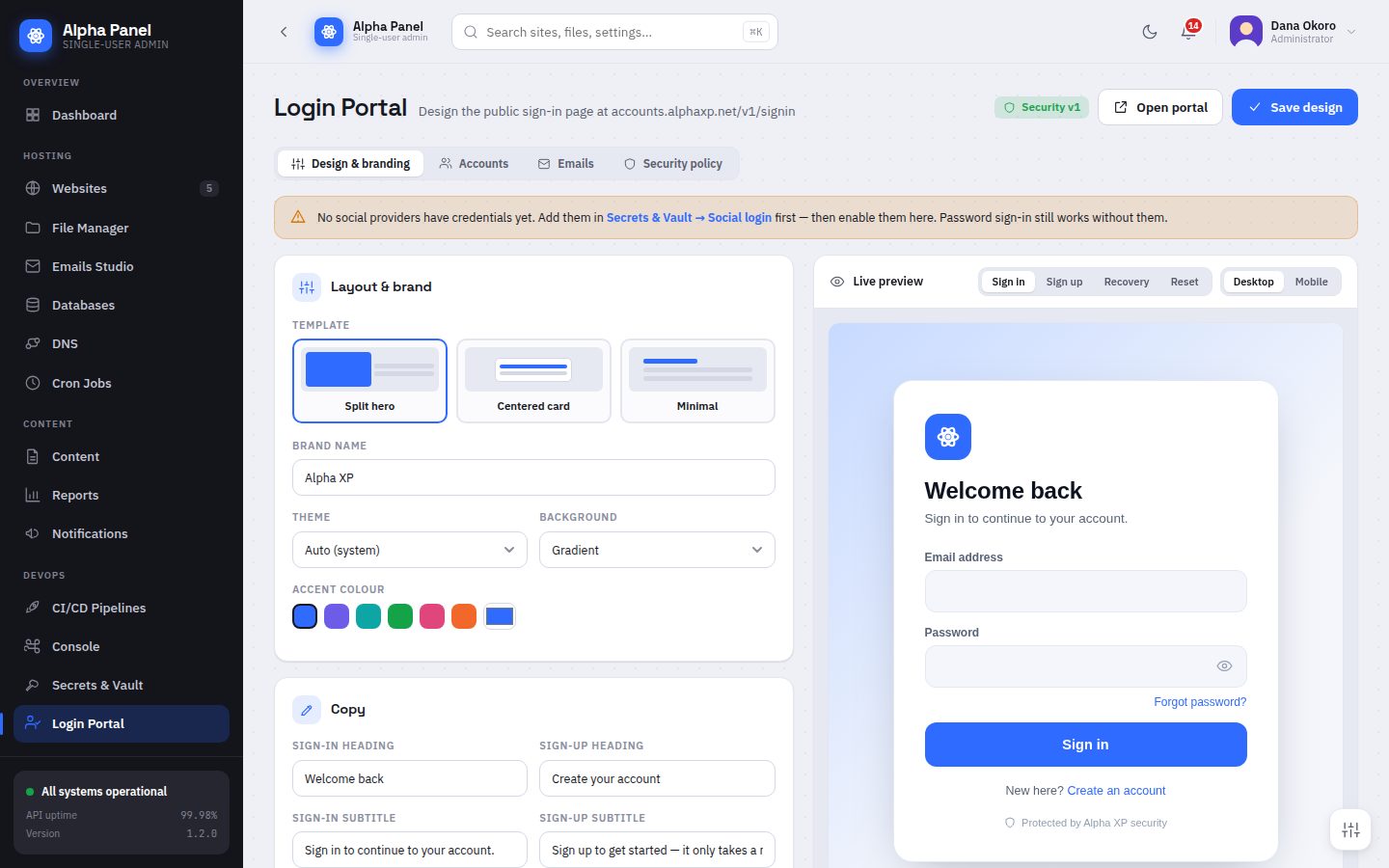
Login Portal

Designs the public sign-in page your own users see, on its own host — separate from the admin panel, which is never exposed. Pick a layout, set the brand, and watch the preview update.

Login Portal screen in AlphaPanel
14 / 25

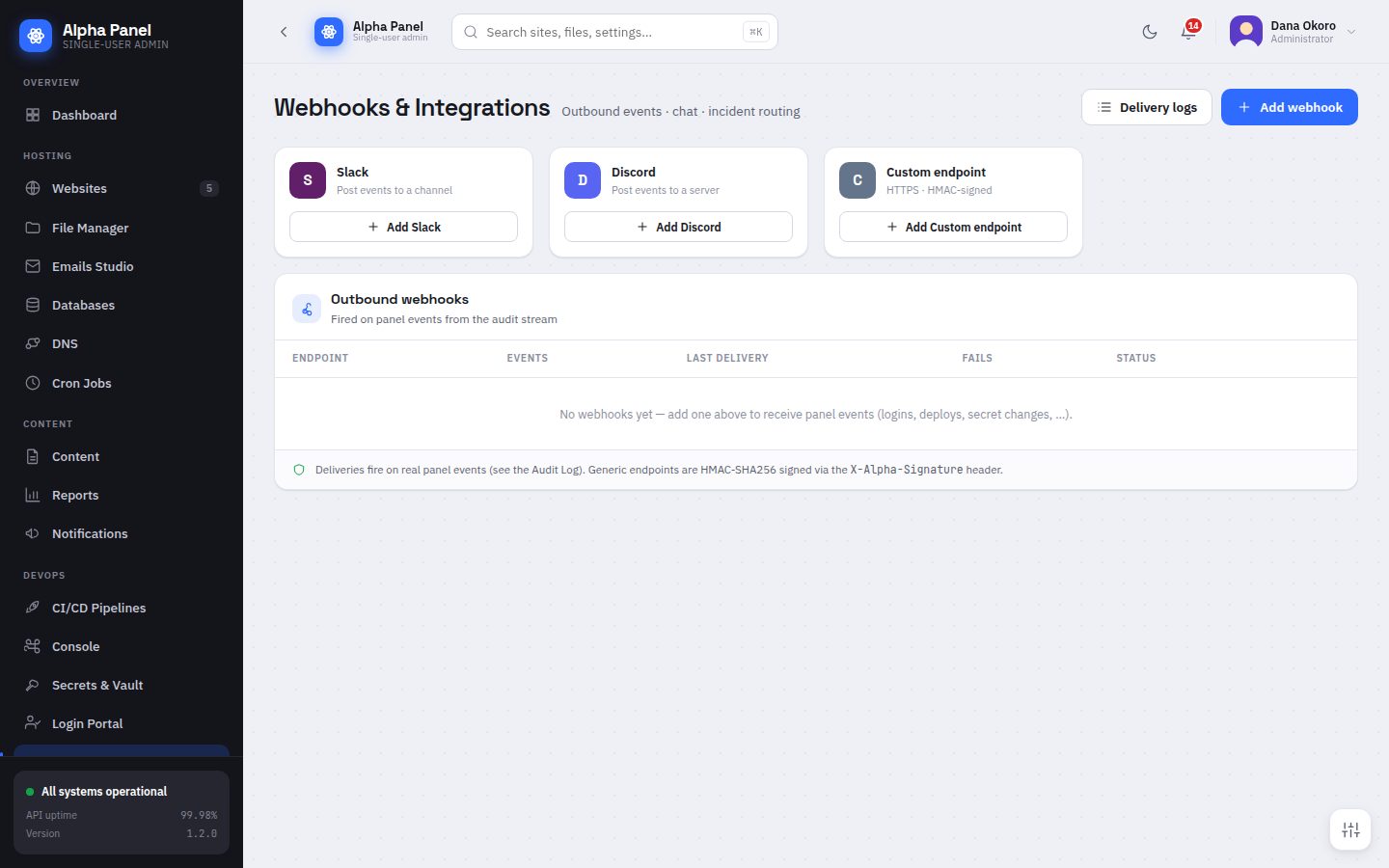
Webhooks & Integrations

Outbound webhooks fired from the audit stream, so the events the panel records can reach Slack, Discord or anything that accepts a signed HTTP POST.

Webhooks & Integrations screen in AlphaPanel
15 / 25

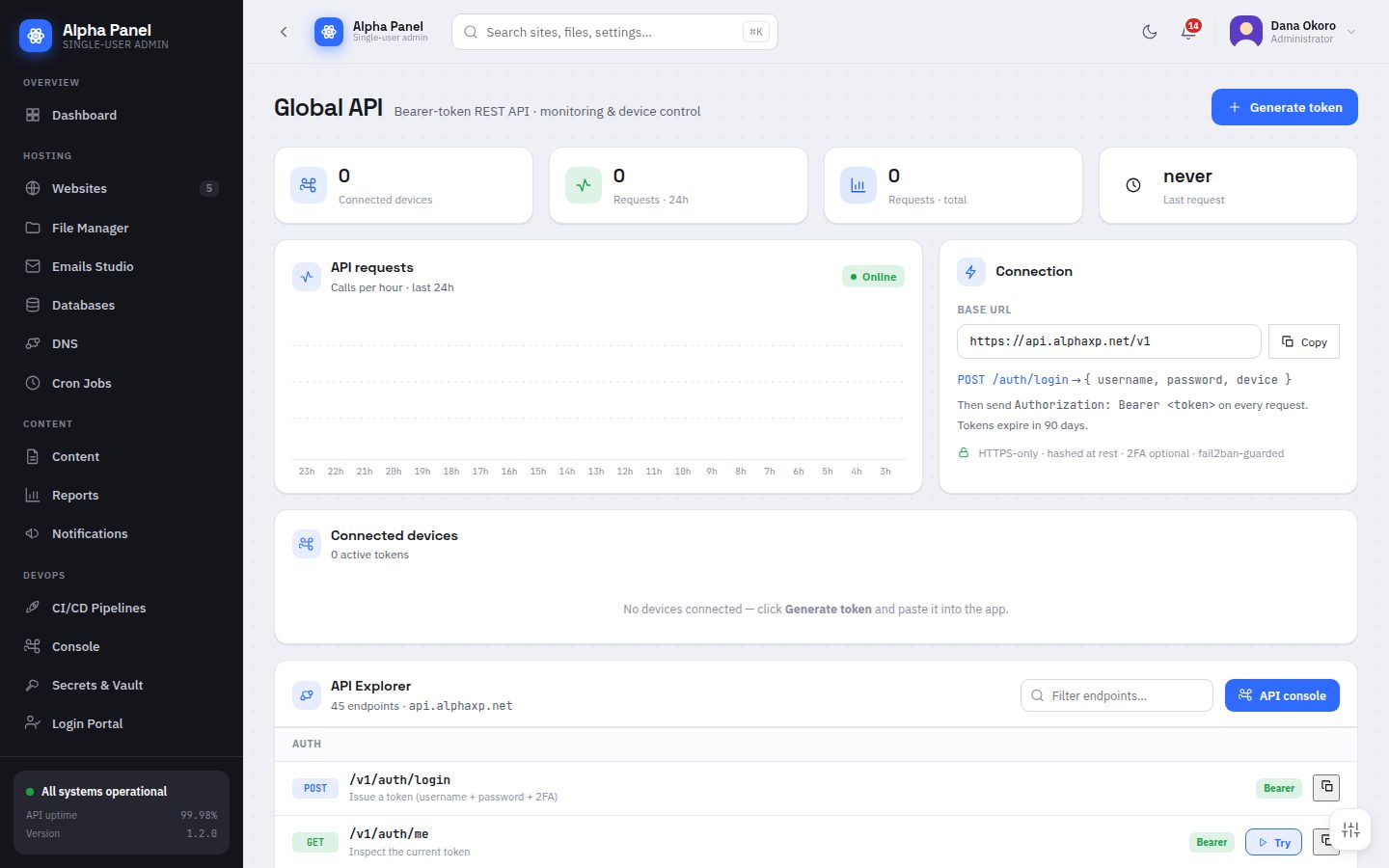
Global API

A documented REST API on its own host — never the admin host — with scoped bearer tokens, an endpoint explorer and copy-as-curl for every route.

Global API screen in AlphaPanel
Commerce

Taking money

16 / 25

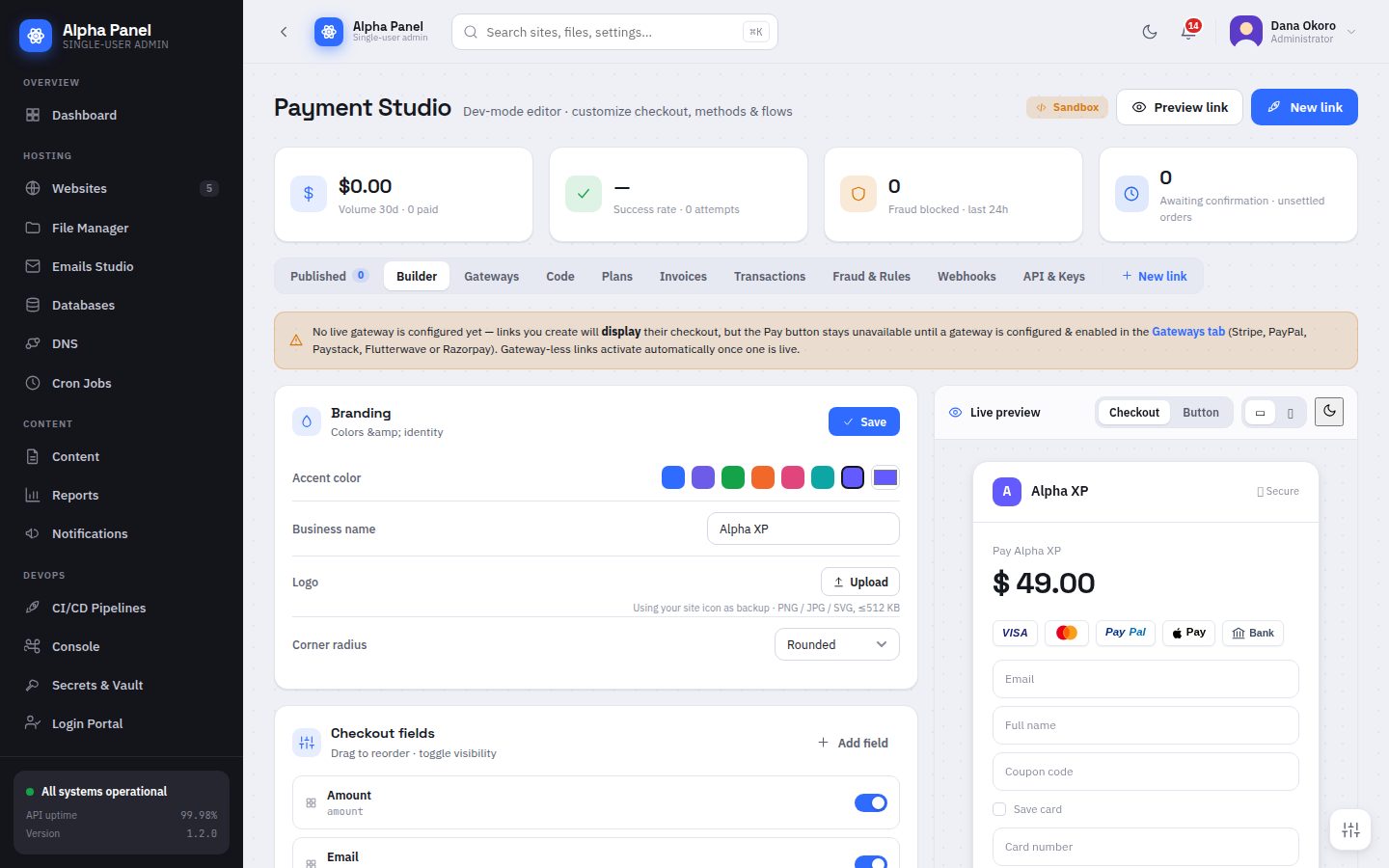
Payment Studio

A visual checkout builder with a live preview. Design the page, choose the gateway, set the fields, and every transaction on the box goes through one ledger.

Payment Studio screen in AlphaPanel
Add-ons

Extending the panel

17 / 25

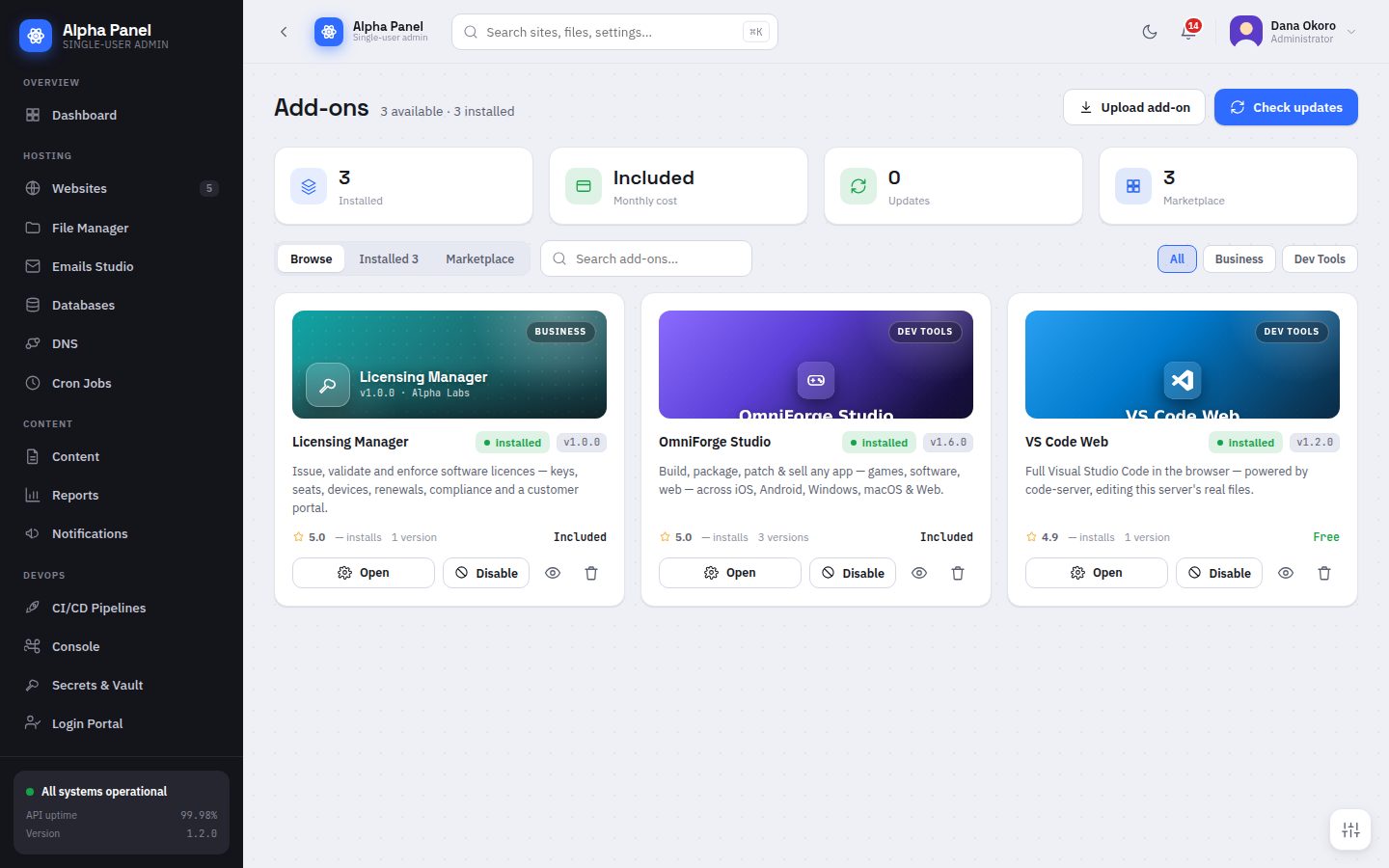
Add-ons

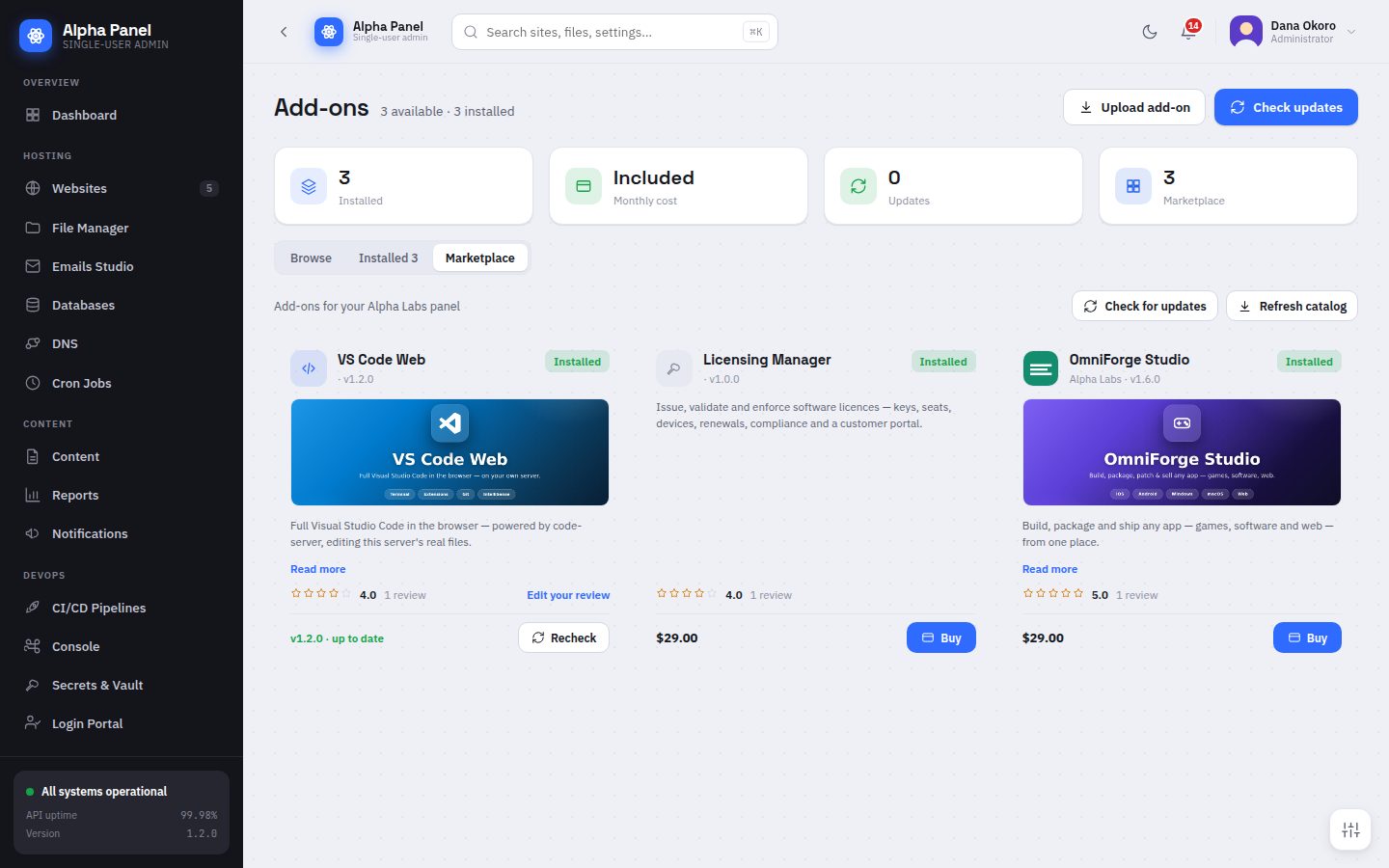
Add-ons are not bundled into the panel — they arrive through the Marketplace, so what is installed is only ever what you chose and paid for.

Add-ons screen in AlphaPanel
18 / 25

Marketplace

What you own, what you can add, and one-click install. Packages are checked against a published SHA-256 and a vendor signature before anything is unpacked.

Marketplace screen in AlphaPanel
System

Operating the machine

19 / 25

Server Administration

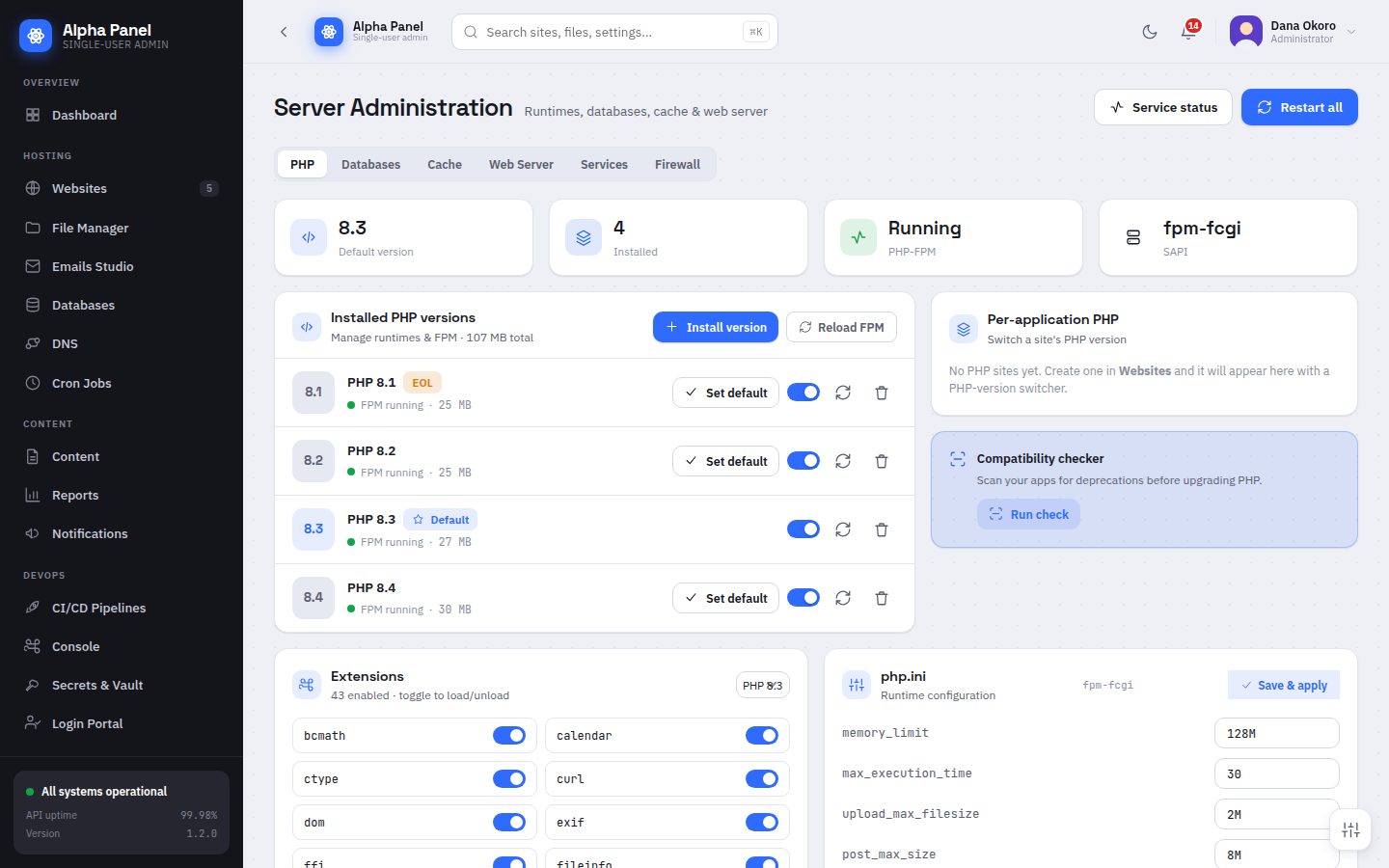
The runtimes underneath, managed rather than described. PHP versions install, enable and switch from here, with a compatibility checker before you move a site.

Server Administration screen in AlphaPanel
20 / 25

Snapshots

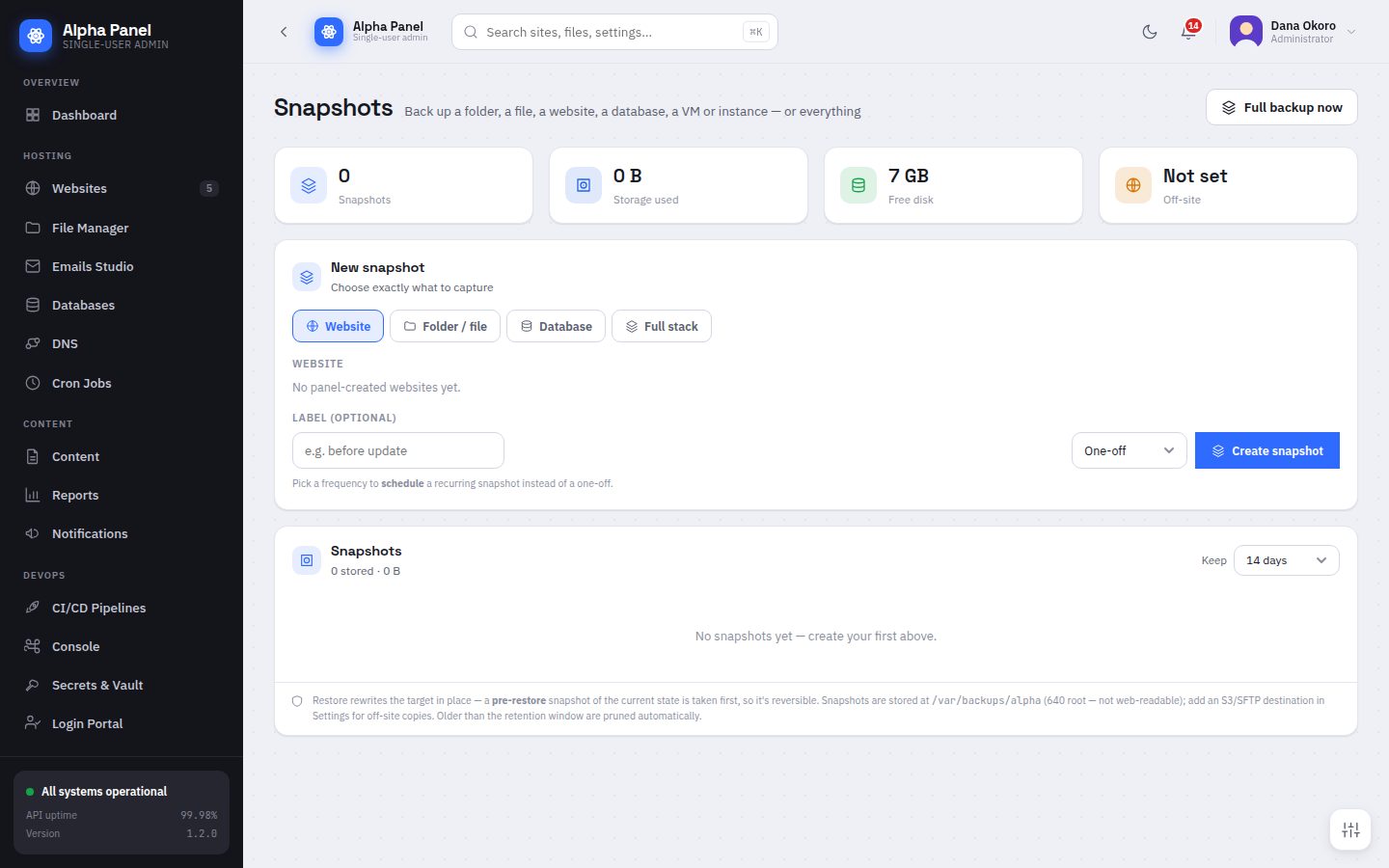
Targeted backups: one folder, one site, one database, one VM — or the whole stack. Restores go back to the same place, and retention prunes the rest.

Snapshots screen in AlphaPanel
21 / 25

Virtualization

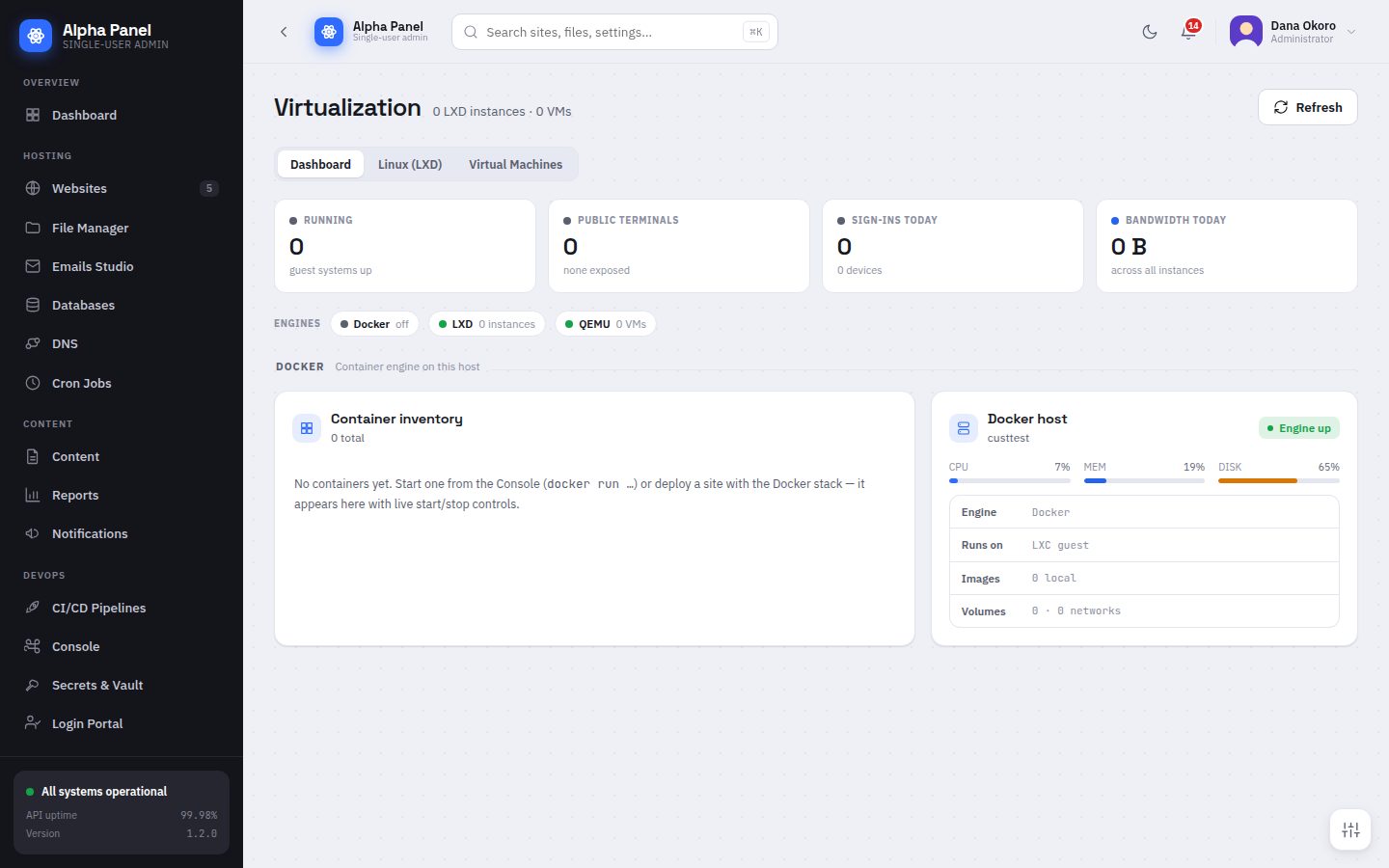
LXD containers and QEMU virtual machines with browser consoles. Launch, size, start and stop from the panel, and open a terminal or a screen without a client.

Virtualization screen in AlphaPanel
22 / 25

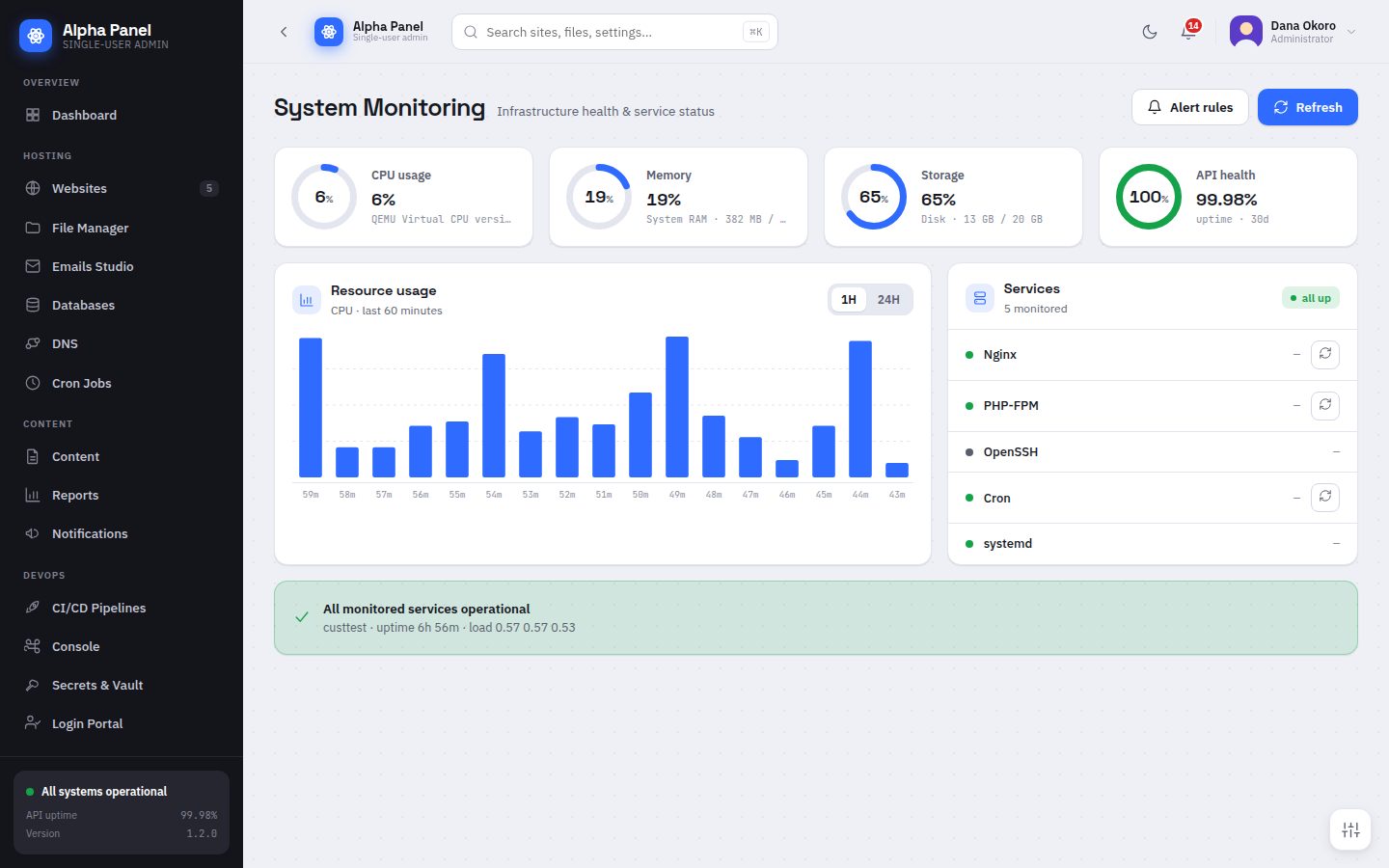
System Monitoring

Live infrastructure health: CPU, memory, storage and API health as rings, resource usage over time, and the state of every service that matters.

System Monitoring screen in AlphaPanel
23 / 25

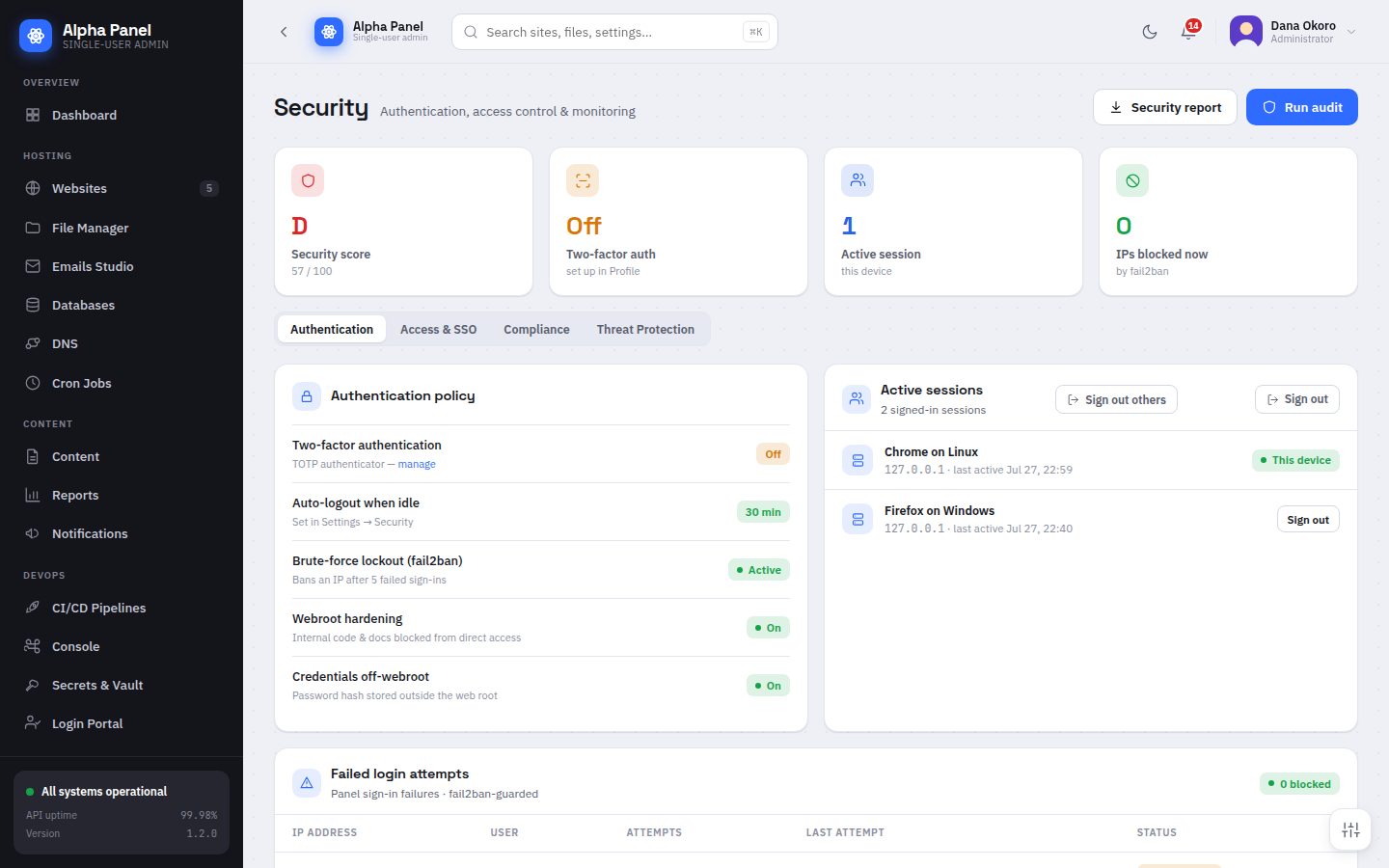
Security

Authentication, access control and monitoring on one screen, with a score that reflects what is actually switched on rather than what is available.

Security screen in AlphaPanel
24 / 25

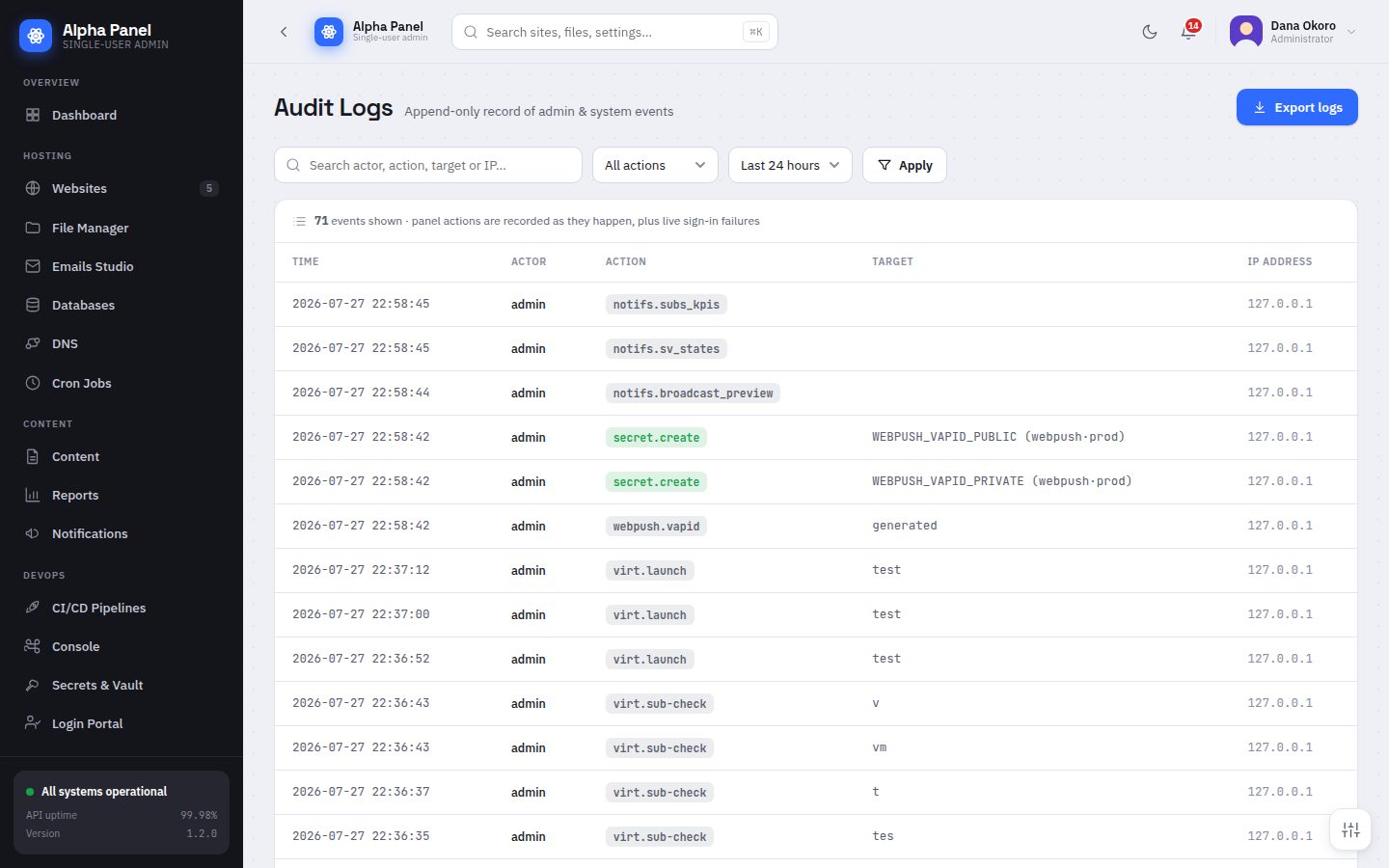
Audit Logs

An append-only record of what was done, by whom, from where. Every write action in the panel lands here, including the ones the panel takes on its own behalf.

Audit Logs screen in AlphaPanel
25 / 25

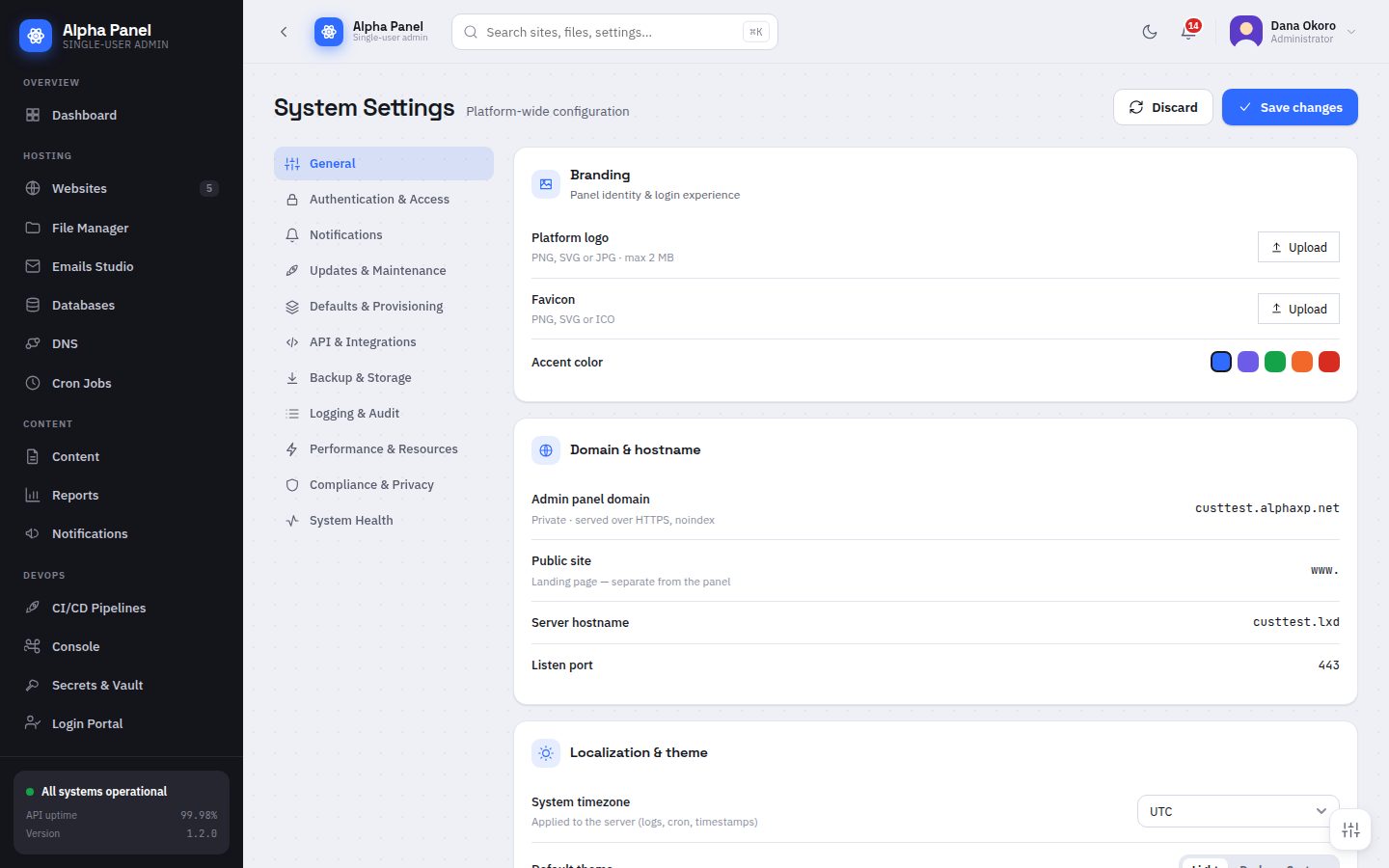
System Settings

Platform-wide configuration in one place — branding, domain and hostname, defaults for new sites, backup storage, logging, performance and privacy.

System Settings screen in AlphaPanel

That is the whole panel.

Plans from $15 a year. Install it on a spare box and click through it yourself — the panel is fully usable before you enter a key.

$curl -sSL https://licenses.alphaxp.net/download/setup.sh | sudo bash
See pricing Get AlphaPanel